Factors
Factors and associated groups are used in TSE Analytics to assign animals from the animal list to user-defined groups. Factors and groups can be added and edited by clicking Edit Factors in the Factors widget. A list of all factors and related groups is then displayed in the Factors widget.
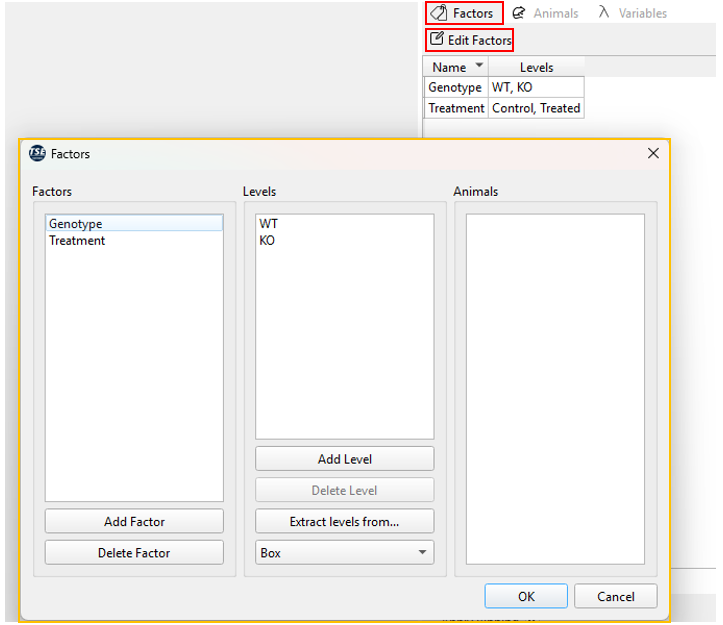
Clicking Edit factors opens a new Factors dialogue window, in which factors can be added and deleted, groups added to factors, deleted or extracted from entries in the animal list, and individual animals assigned to groups.
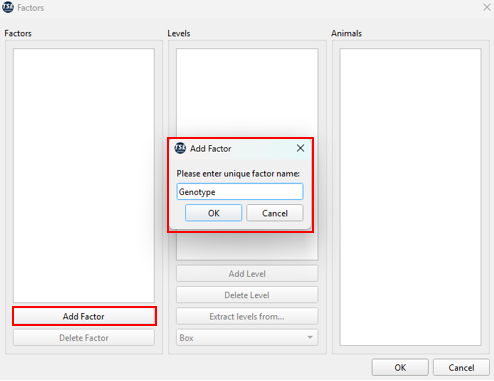
To add a new factor, click Add Factor at the bottom of the “Factors” column, enter a factor name and press OK.
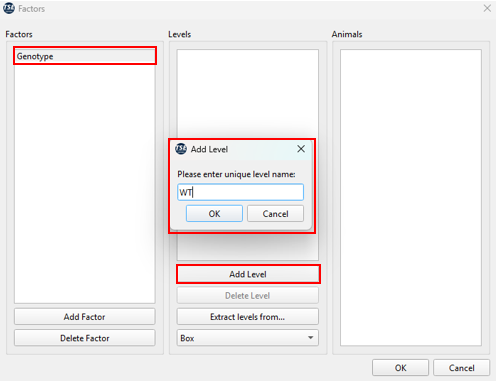
To assign a group to a previously added factor, the respective factor must be selected (highlighted in blue), before clicking Add Level, entering a group name and clicking OK.
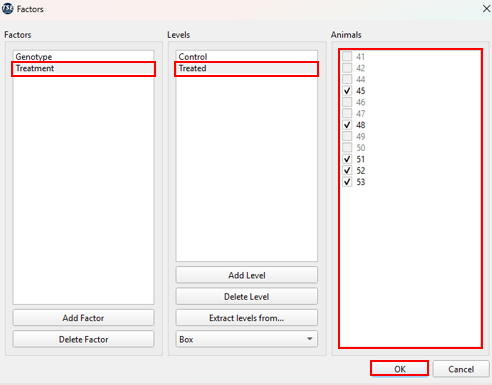
To assign animals from the animal list to a group, first select the respective factor and group(level) in the Factors dialogue window. Animals can then be assigned to this group by selecting the respective animals from the animal list in the Animals column using the tick boxes.
Note
For each factor, animals can only be assigned to one group. Animals which have already been assigned to one group of a factor cannot be assigned to other groups of this factor (tick boxes disabled).
Besides manual assignment of groups and animals, groups can also be extracted from information stored in the animal list in the columns “Text1”, “Text2”, etc. After adding and selecting a factor, the respective column of the animal list needs to be selected from the dropdown menu at the bottom of the Groups column, followed by clicking Extract from. This function automatically identifies all possible levels and assigns animals according to the data entries in the animal list.
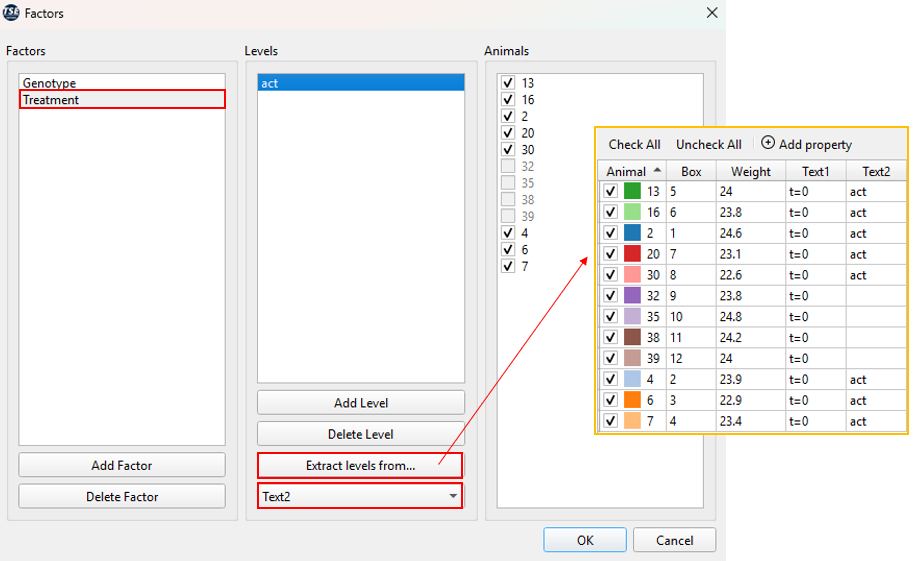
Both manually and automatically generated groups and assignment of animals can be edited at any time in the Factors dialogue window.
Warning
Please ensure that at least two levels are assigned to each factor (with at least one animal selected per level) to guarantee full functionality of all analysis in TSE Analytics.