Main Menu
The main menu comprises file import, save and export functions under File, view settings under View and access to additional information and support under Help.
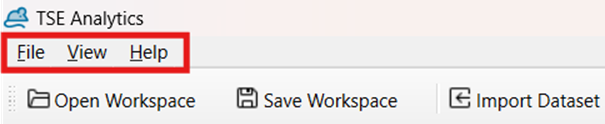
File - Open Workspace/ Open Recent: Open an existing (recently used) workspace. - Save Workspace: Save the current workspace. - Import Dataset: Import an individual dataset. - Settings: Use online/offline help. - Exit: Close the application.
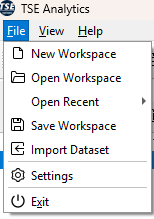
Warning
Exit command will save any changes regarding the software layout but will not automatically save the workspace or any other changes.
View
- Save Layout: Saves the current window arrangement, size, and visibility. Useful after setting up your preferred workspace layout.
- Reset layout: Restores a previously saved layout configuration, returning the interface to a familiar arrangement.
- Reset Layout: Resets the workspace to the default layout. Helpful if windows become misplaced or accidentally closed.
- Style: Allows changing the visual style or theme of the interface.
- View Panels (Datasets / Info / Log / Animals / Factors / Variables / Binning): Toggles the visibility of different panels. Checked items are displayed in the main interface; unchecked ones are hidden.
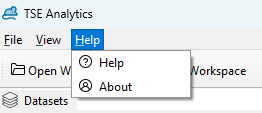
Help
- Help: Access support manual resource or contact customer support.
- About: View information about the software version.
Note
If the toolbar disappears, and you can't find the following widgets: Open Workspace, Save Workspace, Import Dataset, and Add Widget, it is likely that the toolbar has been hidden. To restore the toolbar, right-click on the main menu and select the option to display the toolbar again.
