Animals
Here users can select one or many animals from the list of all animals that were registered in the experiment. This allows filtering (exclude) some of them from further analysis and visualisation.
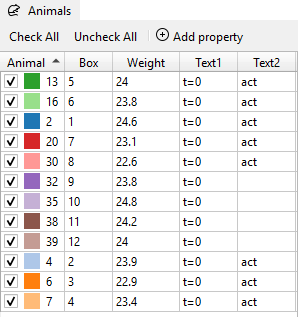
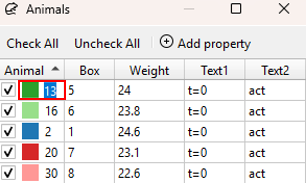
The Animal widget contains a list of all animals included in the dataset and works as an animal selector for analysis. Animal names/IDs in the column “Animal” can be edited by double-clicking on the name/ID of the respective animal and entering a new name/ID.
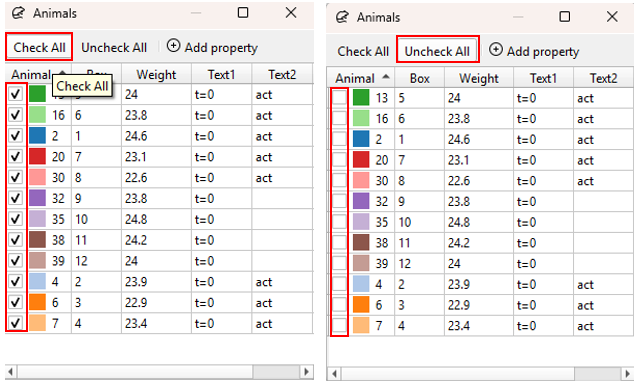
All animals in an animal list can be selected at once (all boxes checked) by clicking Check All.
All animals can be deselected at once (all boxes unchecked) by clicking Uncheck All.
Alternatively, press
Note
When there is no selection in the animals list, it is considered as if all animals are selected!